Know which box it's in.
Print a QR label, stick it on a tote, and scan it to see what's inside. Find the winter boots in seconds. Free for your whole home.
iPhone · iPad · iPhone Duo · 35 languages
Where are the…
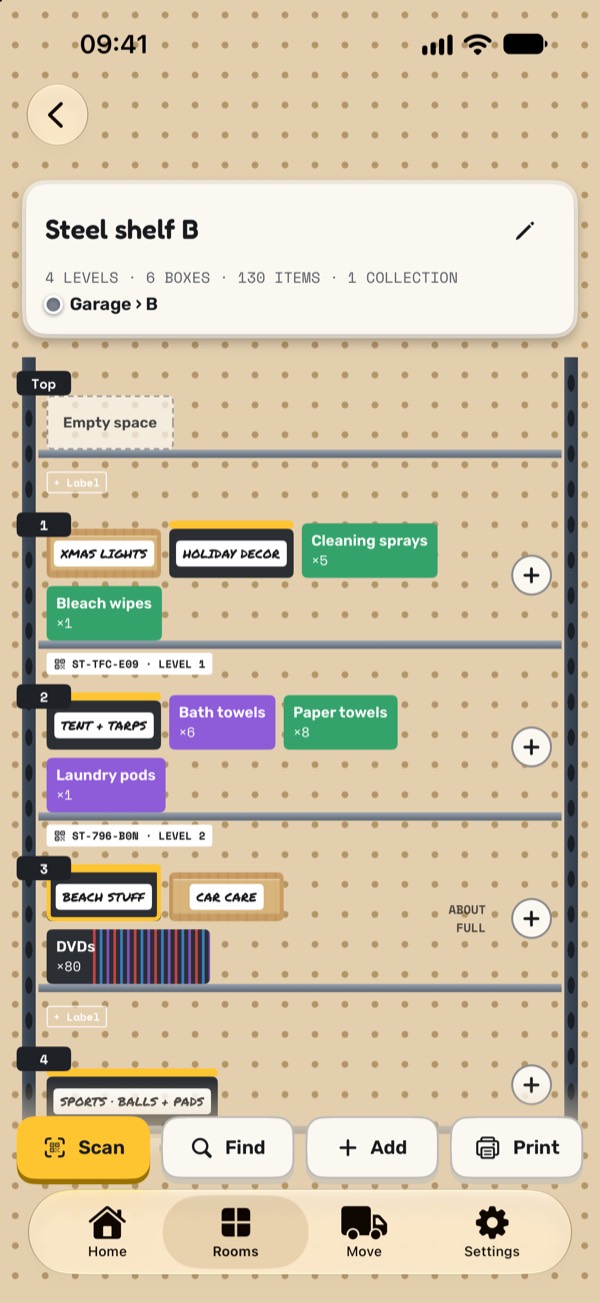
YoursAn example shelf. Tap any box to open it. One box is yours: name it below and it follows you down the page. Every QR here is a real Stow label link.
How it works
Label it once. Find it for years.
Every tote, bin and box gets its own label. The label is the key: scan it and the box opens on your screen.
- Step 1 · Label
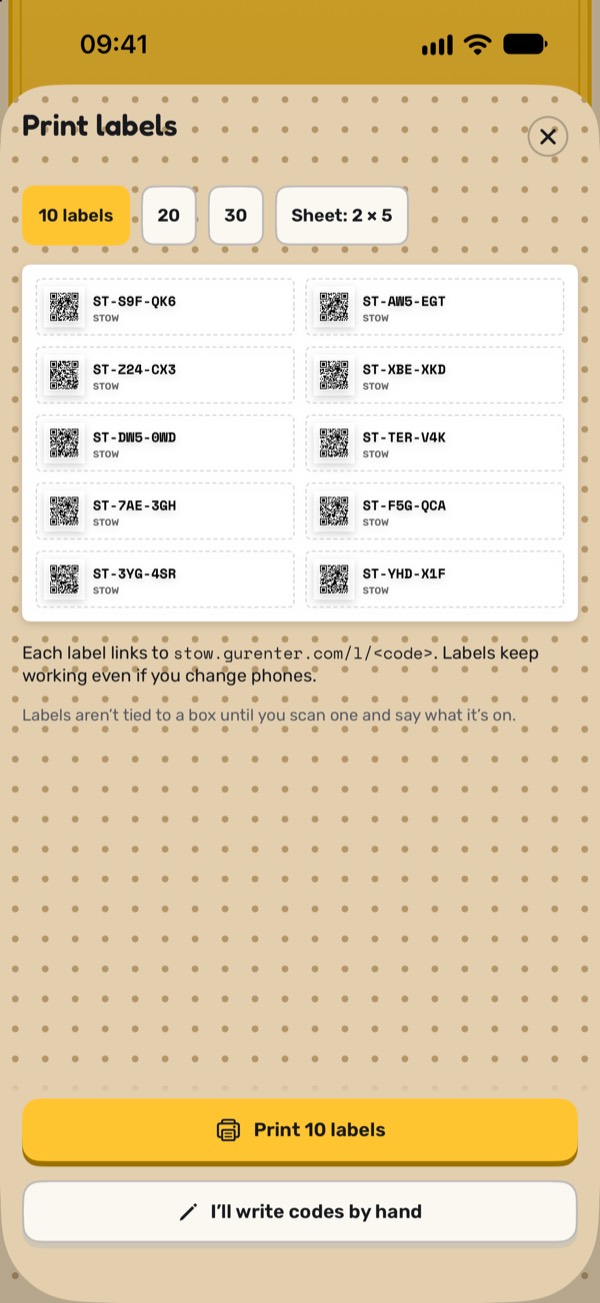
Print a sheet of QR labels
Print with AirPrint, reuse a label you already have, or write the short code on tape by hand.
- Step 2 · Scan
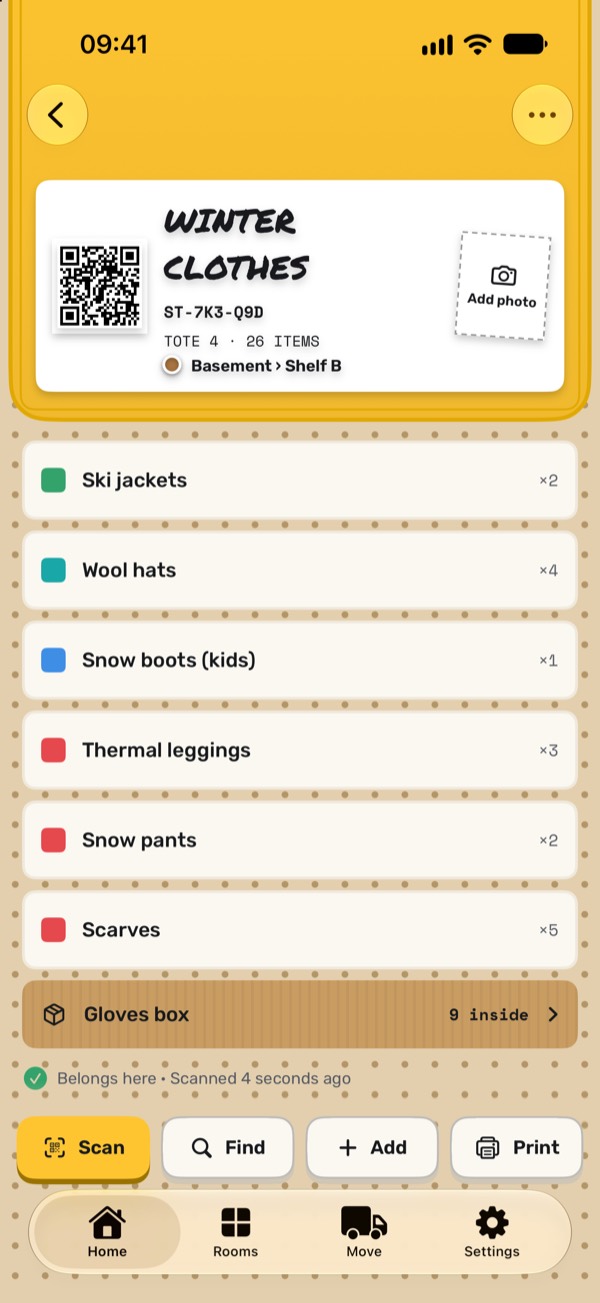
Scan to open the box
Point the camera at one label, or a whole shelf at once, and see what's inside and where it lives.
- Step 3 · Find
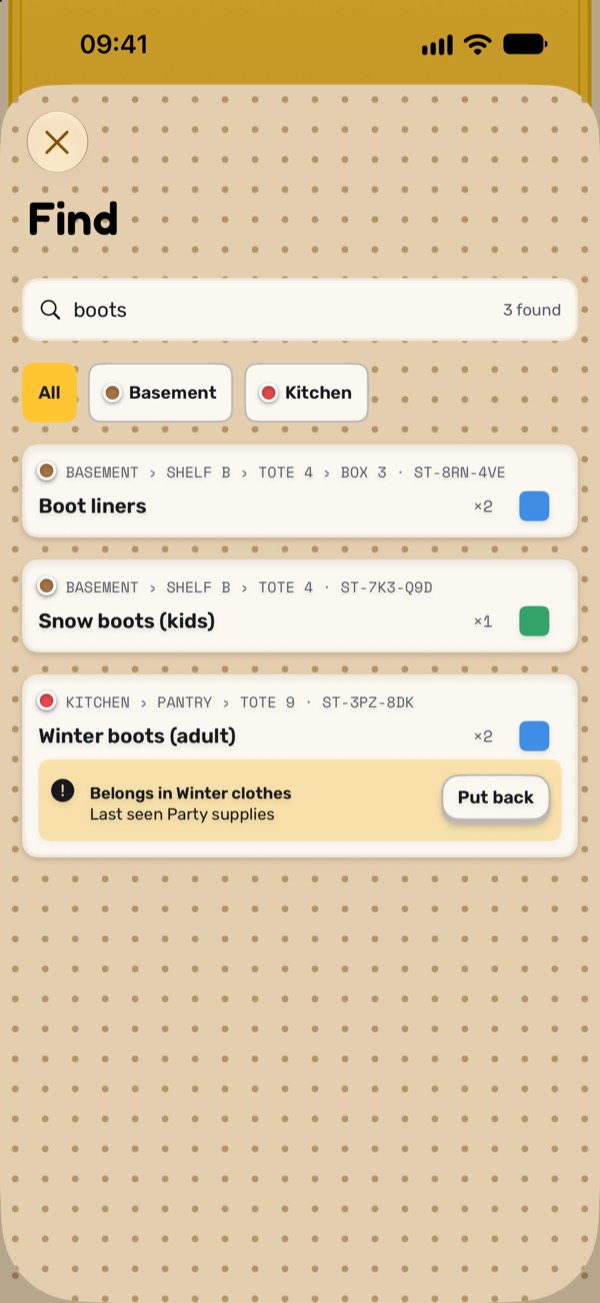
Search everything
Results show where before what, so you can walk straight to the right shelf.
Label your first box
Give the blue bin on the shelf a name and say which room the shelf is in.
Room
An example label with a real Stow link in its QR code.Scroll on: this box turns up in Find, on the room plan and on moving day.
Find
Where before what.
Search every box, shelf and room. Stow answers with the path first, so you know where to walk before you know what you'll pick up.
- Try it: the tent is in your box.
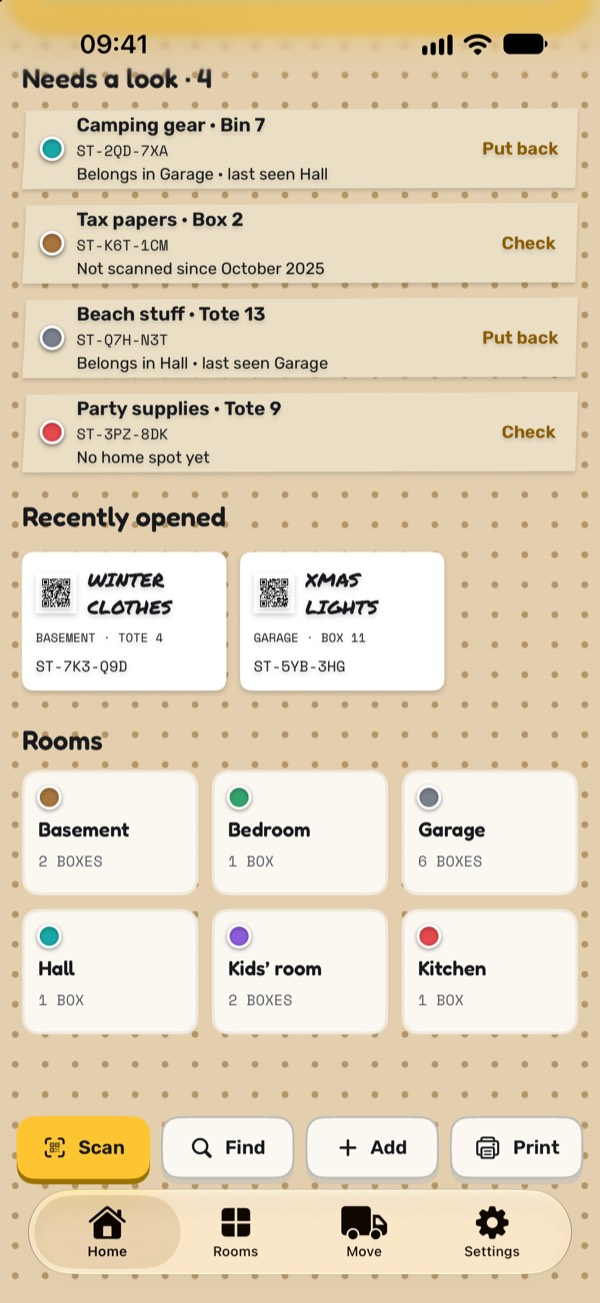
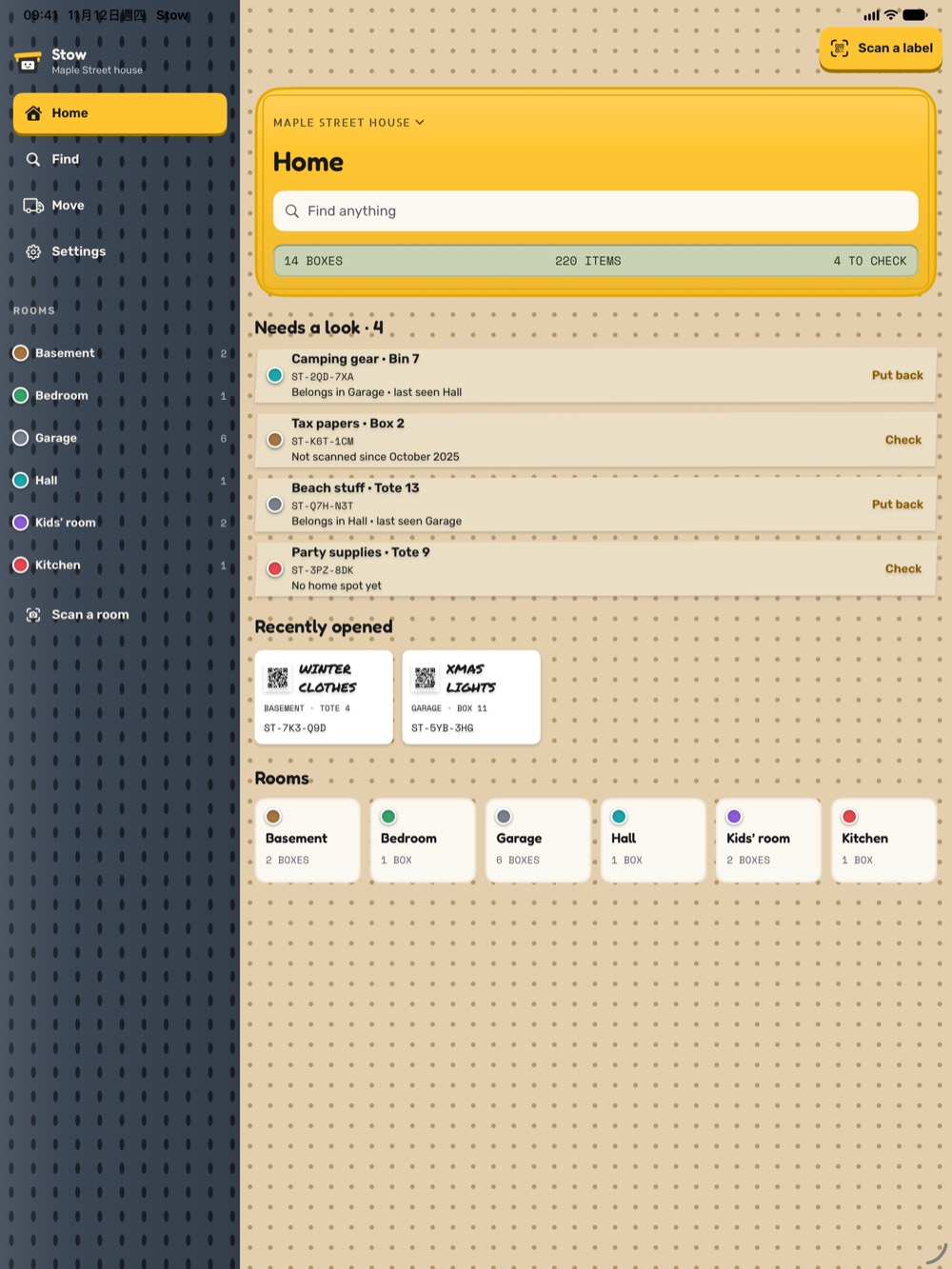
- Needs a look flags boxes that aren't where they belong, or haven't been scanned in a year. Search boots to see one.
- Ask Siri, or search from a widget.
Rooms and shelves
Your rooms, drawn for you.
Scan a room with LiDAR and Stow draws its plan. No LiDAR? List your rooms or sketch them by hand. Everything works either way.
- The pin is your box: Camping gear, in the Garage.
- Shelves, dressers, closets and racks, with every level and drawer.
- Each room has its own color dot, on screen and on labels.
Made for every screen
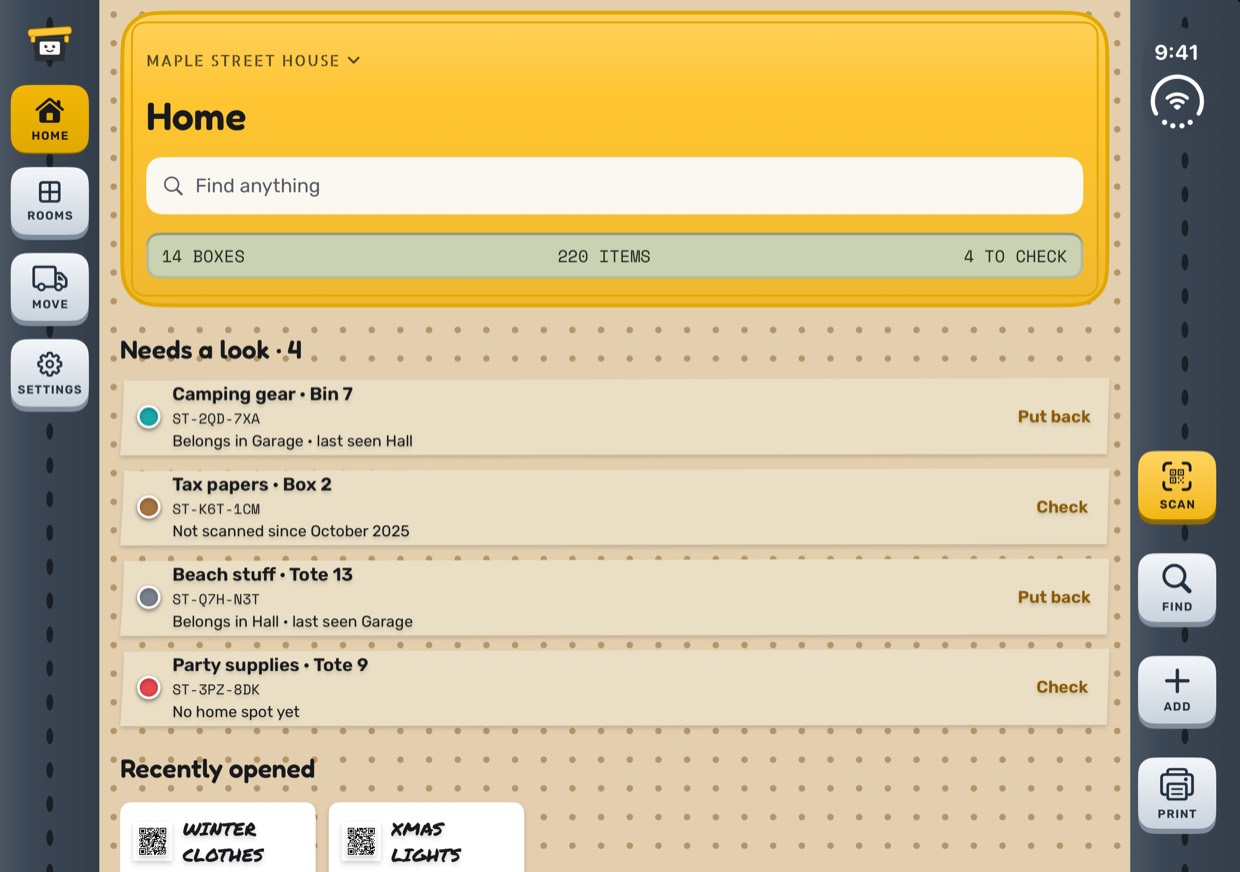
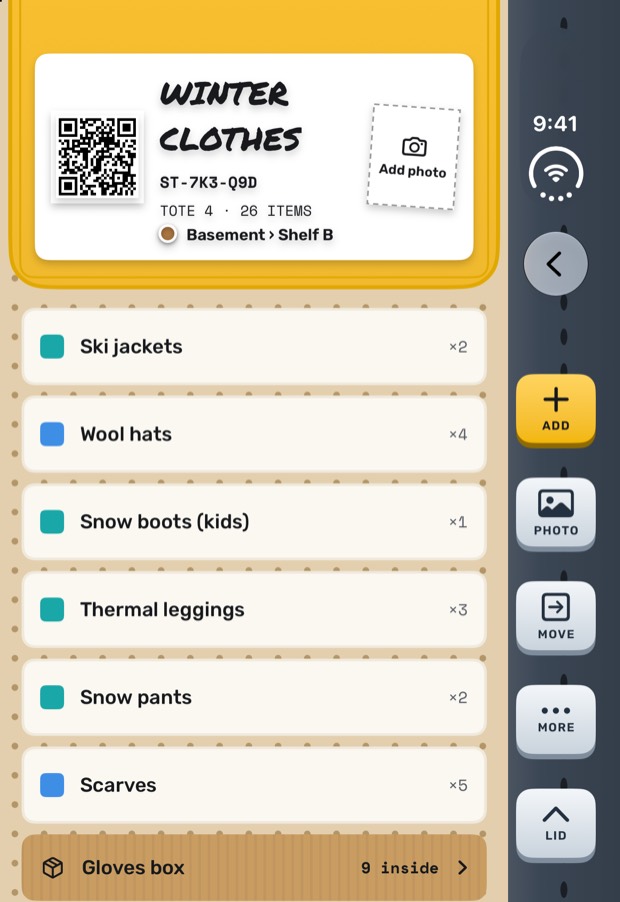
Closed, it's the lid. Open, it's the whole shelf.
On iPhone Duo, the outer screen is the tote with its label and keys. Open it and your home spreads across both halves. Stow also fits iPhone and iPad.
Sort the boxes
5 leftTo Birch Lane house
Not to the new home
Moving
Moving, planned to the last box.
Sort every box into a room of the new home, or into storage, donate, sell or toss. Then count them packed, loaded and arrived.
- Follow moving day on the Lock Screen.
- Print door signs and box stickers for the movers.
- Movers see where, not what: signs show the room and its color, never the contents.
Plans
Free for your whole home.
Every room, every box and every label is free. Stow Pro adds moving, more places and photo identification.
Stow
Free
- Unlimited rooms, boxes, items and labels in one home
- Print, scan and find
- Room plans and shelves
- Share with your household through iCloud
- Widgets, Control Center, Siri and Shortcuts
No account and no sign-in.
Stow Pro
Move house without losing a box
- MovingPlan where every box goes, sort them, print door signs, and follow moving day on the Lock Screen.
- More than one placeA second home or a storage unit, each with its own rooms and boxes.
- Identify what’s insidePhotos of a bin or a shelf turn into items, on your phone.
- Weekly$1.99 a week$1.99/ week
- Monthly$4.99 a month$4.99/ month
- 3 days freeYearly$29.99 a year$29.99/ year
3 days free, then $29.99 a year. Renews automatically unless canceled at least 24 hours before the period ends. Manage it in Settings › Apple Account.
Get Stow on the App StoreStow is free to download. You start Stow Pro inside the app. Prices are in US dollars and vary by country.
Private by design
Your inventory stays on your devices and in your iCloud. Gurenter collects nothing.
If you allow it, barcode numbers (and only the numbers) are looked up in an open product database to name what you scan. Photo identification runs on your device.
Questions
Before you label the first box.
Do I need a special printer or label maker?
No. Stow prints a sheet of QR labels on any AirPrint printer. You can also reuse a label you already have, or write the short code on tape by hand.
What happens to my labels if I get a new phone?
They keep working. A printed label works on a new phone, after a restore, and for everyone in your household.
Does Stow need LiDAR?
No. A LiDAR scan draws the room plan for you, and without it you can list or sketch your rooms. Everything else works the same.
What's free and what's in Stow Pro?
One home with every room, box, item and label is free, including sharing. Stow Pro adds Moving, more than one place you own, and photo identification.
Does my household need to pay?
No. Homes shared with you are free to use and don't count as your own places. A family plan shares Stow Pro with up to 6 people in your Apple family.
Where is my inventory stored?
On your devices and in your own iCloud. There is no Stow account, and Gurenter collects nothing.
Which devices does Stow run on?
iPhone, iPad and iPhone Duo, open or closed, in 35 languages.
Put a label on it.
Start with one shelf. Stow is free for your whole home.